Watch the full lifecycle
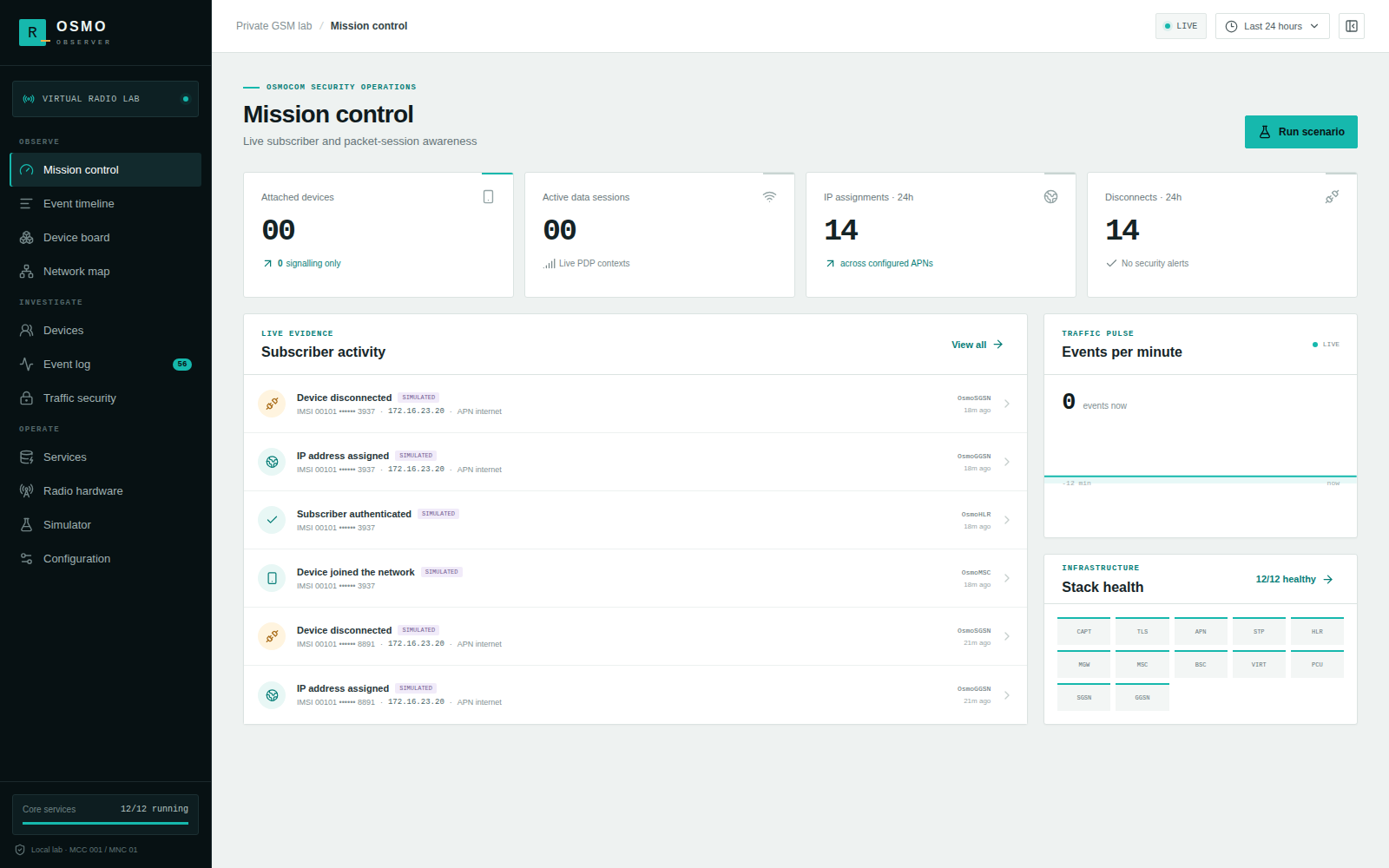
Move from live activity to an IMSI timeline with APN, IP address, source component and timestamp preserved.

Rootworks lab product
See every attach.
Control every packet.
Turn a private Osmocom network into a usable security testing environment with live device evidence, repeatable configuration, APN policy and radio control in one local-first interface.
From radio to evidence
Stop tailing ten log files to reconstruct a device session. Observer correlates joins, authentication, assigned addresses and disconnects while keeping the underlying Osmocom configuration available when you need it.
Move from live activity to an IMSI timeline with APN, IP address, source component and timestamp preserved.
Model multiple BTS profiles and APNs as structured controls, with validated raw VTY access for advanced work.
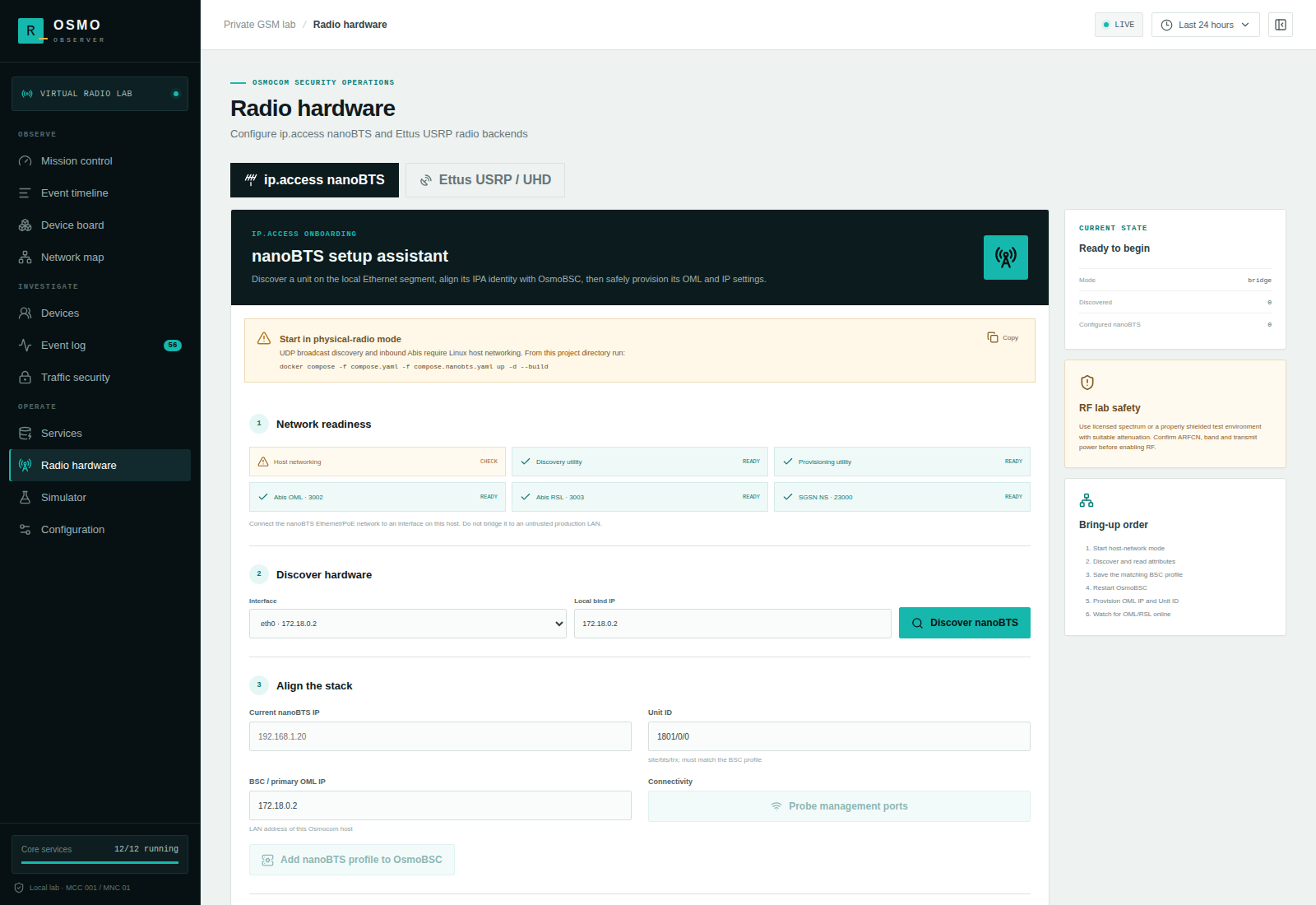
Start, stop and inspect an allow-listed process set. Begin with virtual radio, then move to nanoBTS or UHD hardware.
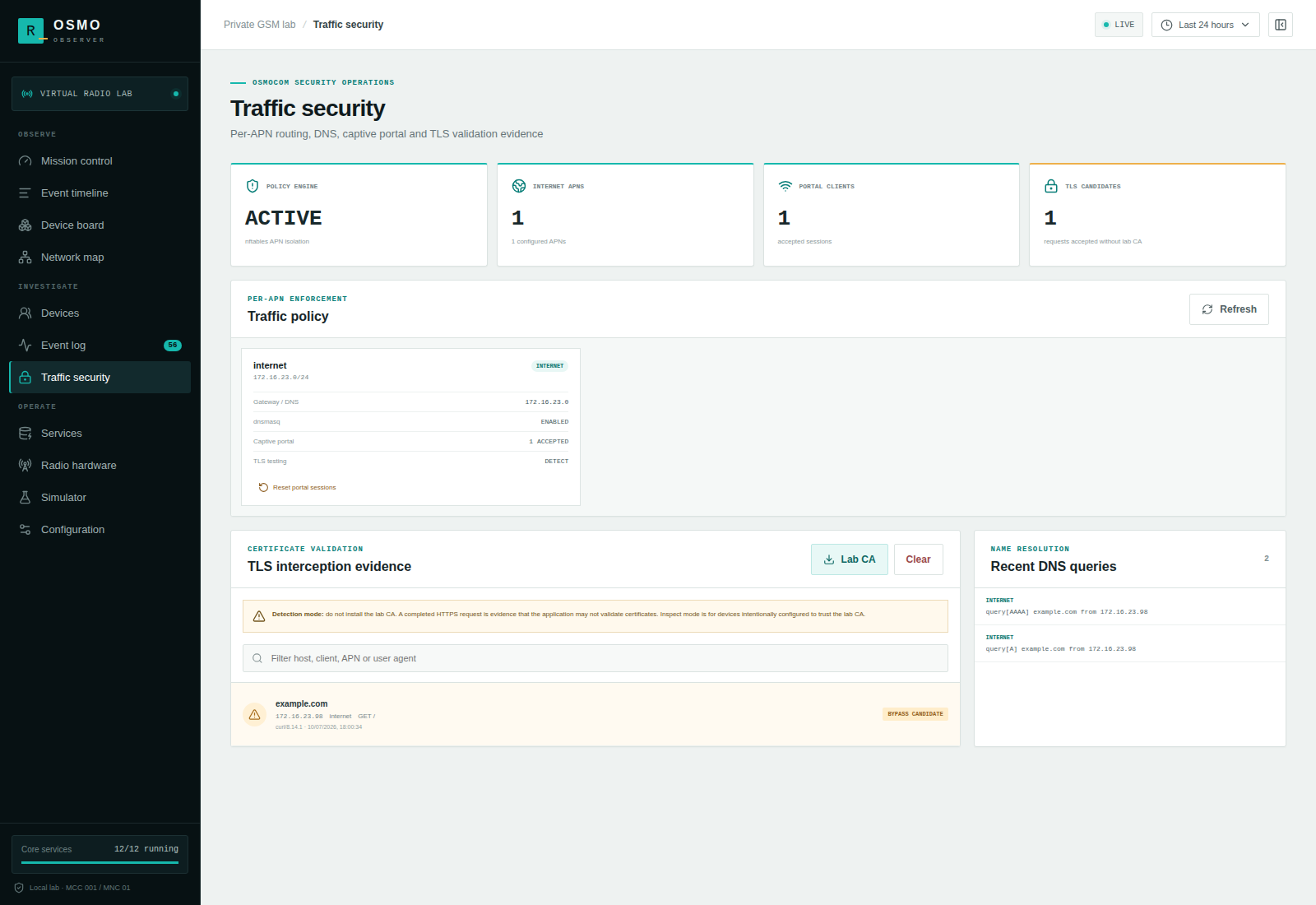
APN traffic security
Give each APN its own egress, DNS, portal and interception policy. In detection mode, a completed HTTPS request without the lab CA is raised as a certificate-validation bypass candidate.
Configuration that scales
Repeating APNs stay first-class. Every policy is explicit, validated and rendered back to the correct Osmocom component. Raw component files remain available and survive later structured saves.
View the APN editor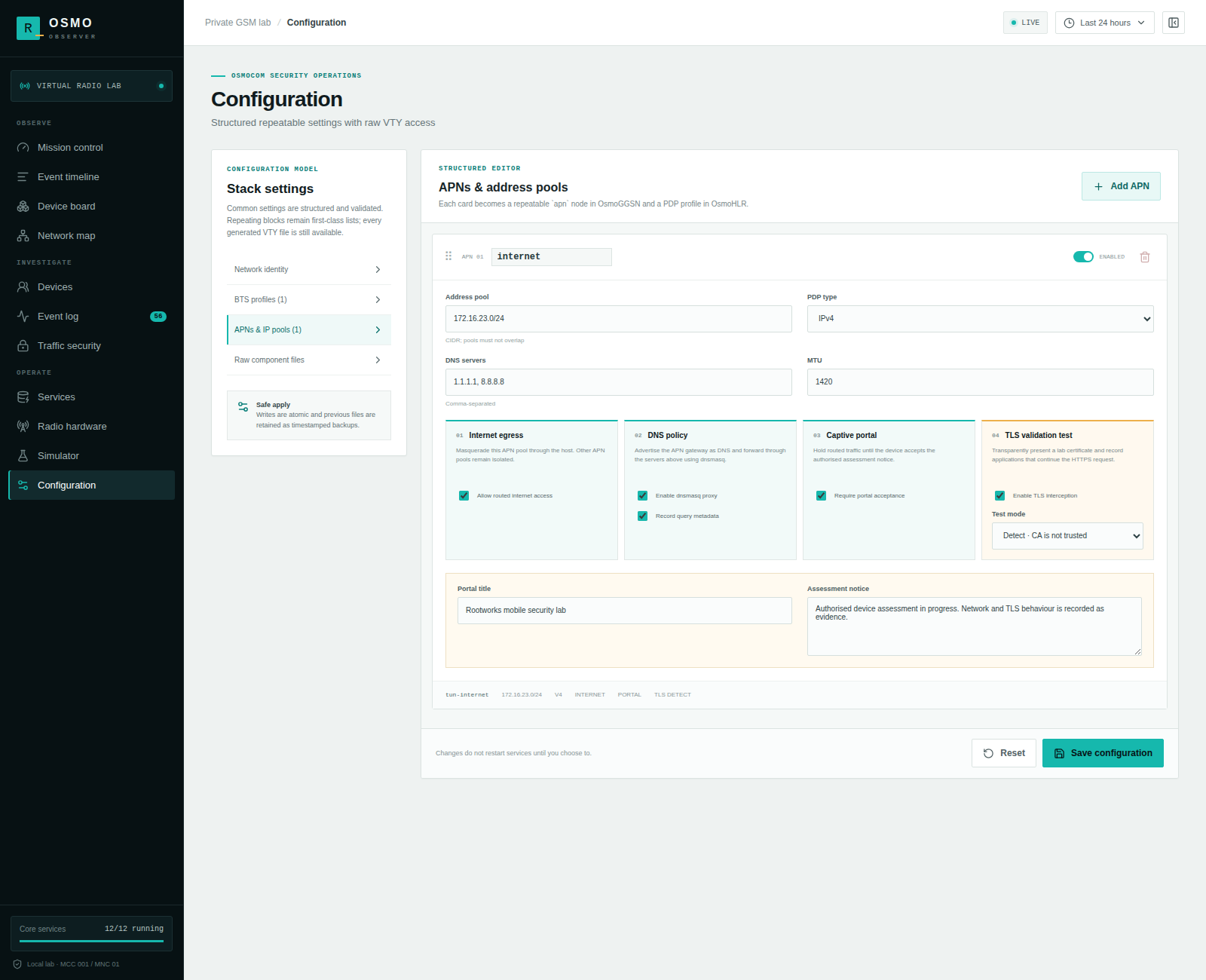
Choose the right radio
Develop deterministic local scenarios first, then onboard the hardware appropriate to your authorised lab.
OsmoBTS Virtual and OsmocomBB virtphy support repeatable local scenarios.
Discover, preview and provision a nanoBTS with an explicit confirmation boundary.
Discover UHD hardware, select clock and antenna paths, then plan by ARFCN or frequency.
Authorised labs only
The UI binds to loopback, hardware writes require confirmation, service actions are allow-listed, and APN egress and interception begin disabled. Use shielded or licensed RF environments and only assess devices and traffic you are authorised to test.
Launch your private mobile lab
Arrange a guided walkthrough of Osmo Observer and discuss how it fits your Osmocom security lab.